Win the listing. Keep the client for life.
Every seller gets their own app with your name on it, and you stay on their phone for years after the sale.
- Set-up is free
- You only pay when you add a seller's home
- Nothing sent without you
Every app keeps you posted. A home sale still makes you ask.
You know exactly where your pizza is. But sell a home, the biggest sale most people ever make, and there’s no way to see where it’s at. “I don’t know what my agent is doing” is the complaint every agent dreads. Not because agents aren’t working, but because sellers can’t see the work. HomeLink was built to make it visible.
HomeLink fixes all three, with your name on it.
Use it to grow your business.
They see every step. You just tap Send.
Build your update plan once: the moments you'll tell every seller about, from the pricing chat to the keys. When one happens, the update is ready in your app. Read it, change it if you like, tap Send.
Rather say it yourself? Write your own update any time. It lands on their phone the same way, with your name on it.
 Gmail
Gmail
 Instagram
 TikTok
 YouTube
Win the listing in the presentation. Hand them your phone.
Every agent promises great communication. You show it. Open a test home in your listing presentation and let them tap through the app they'll get from you.
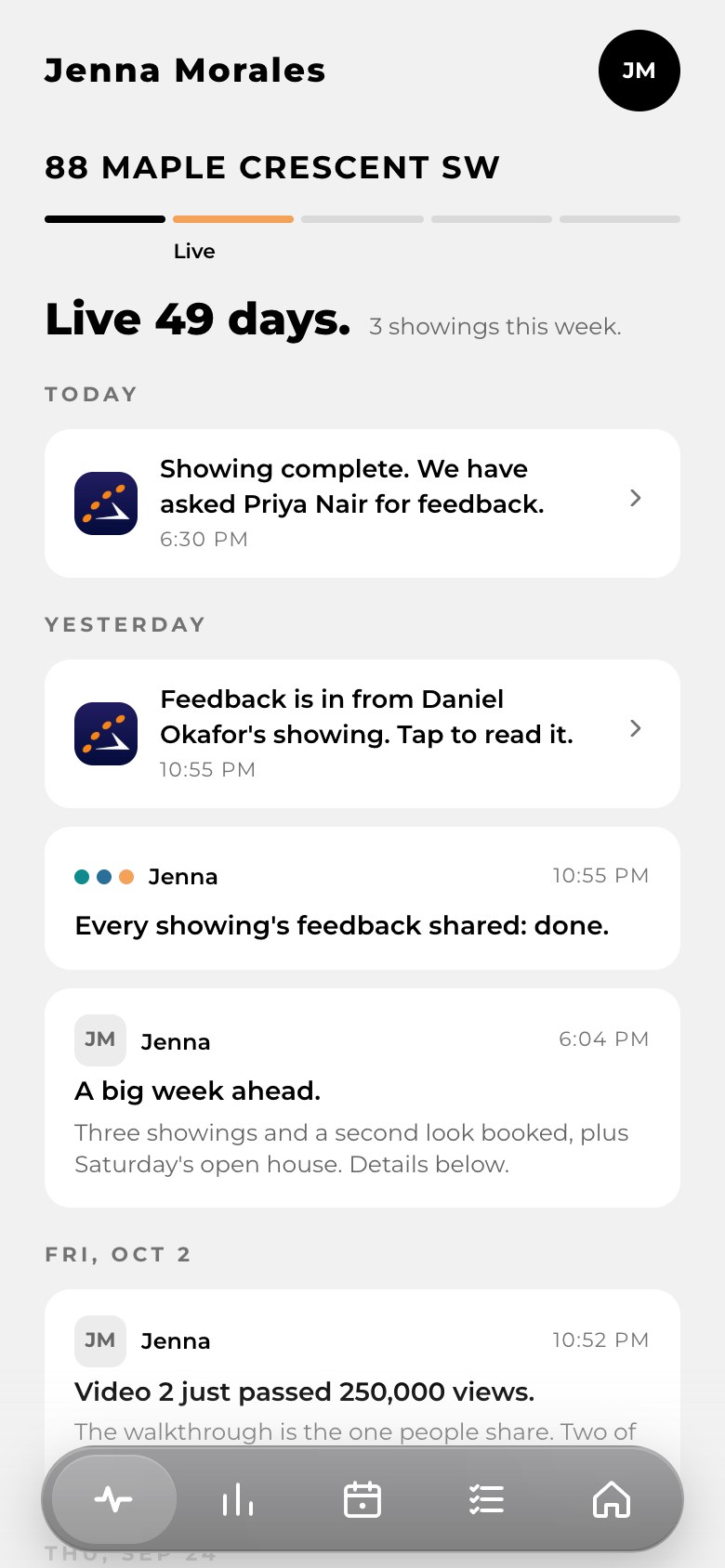
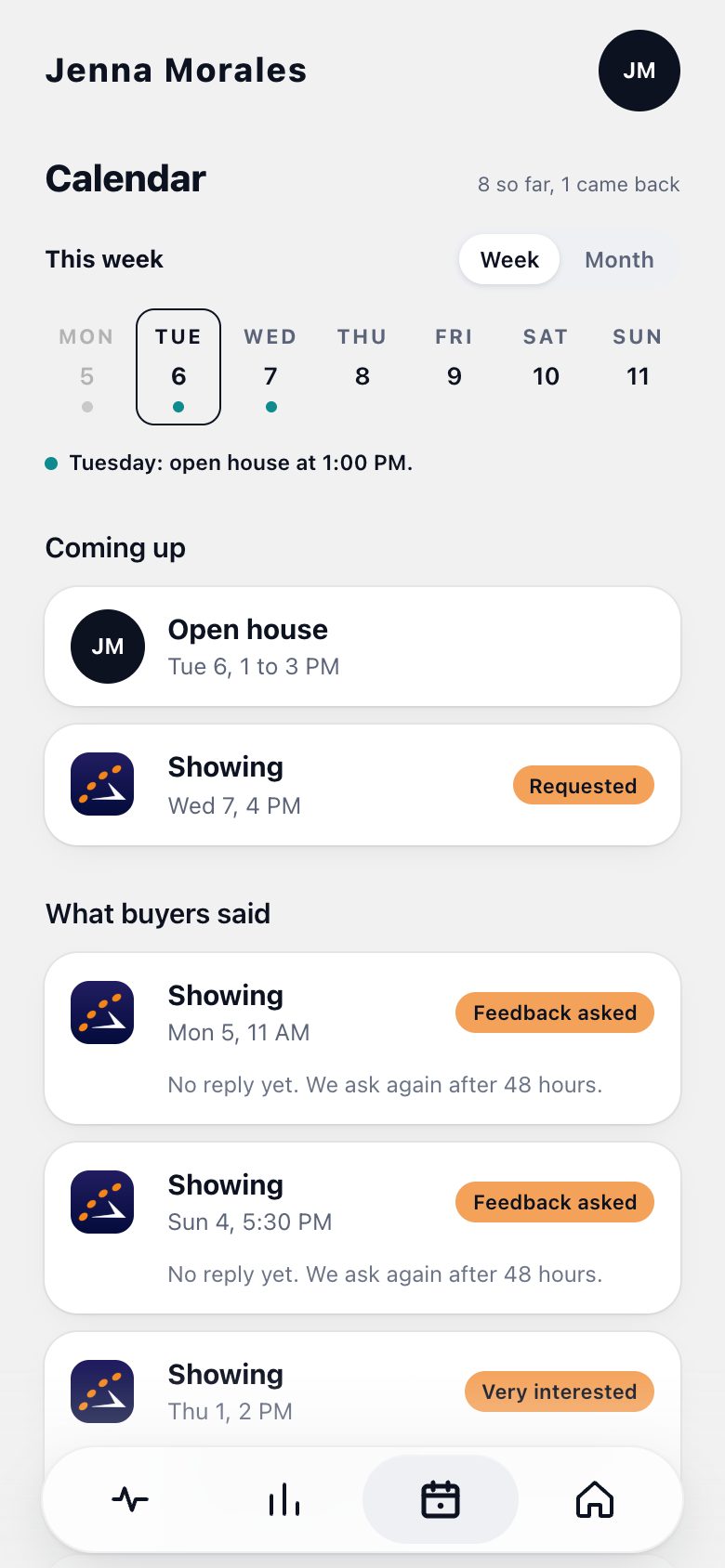
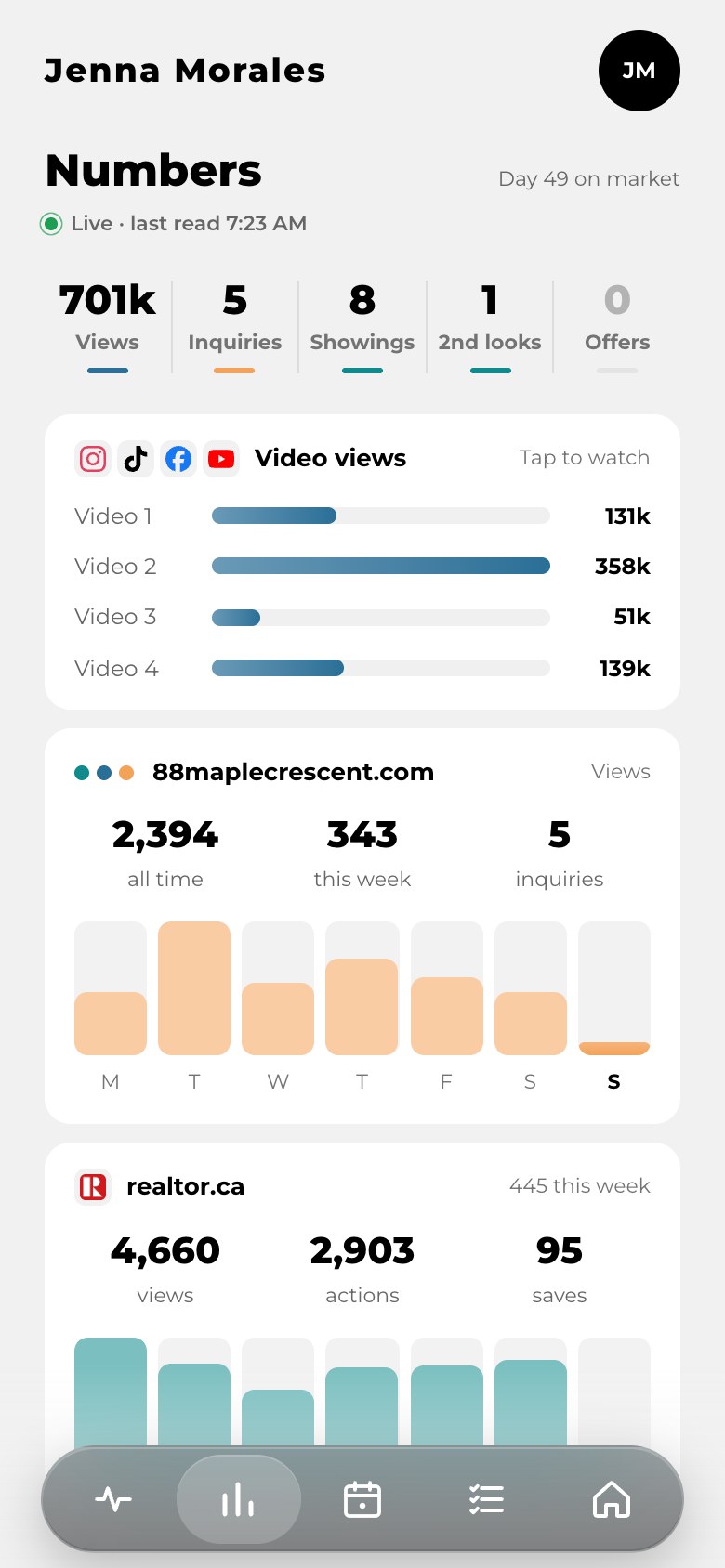
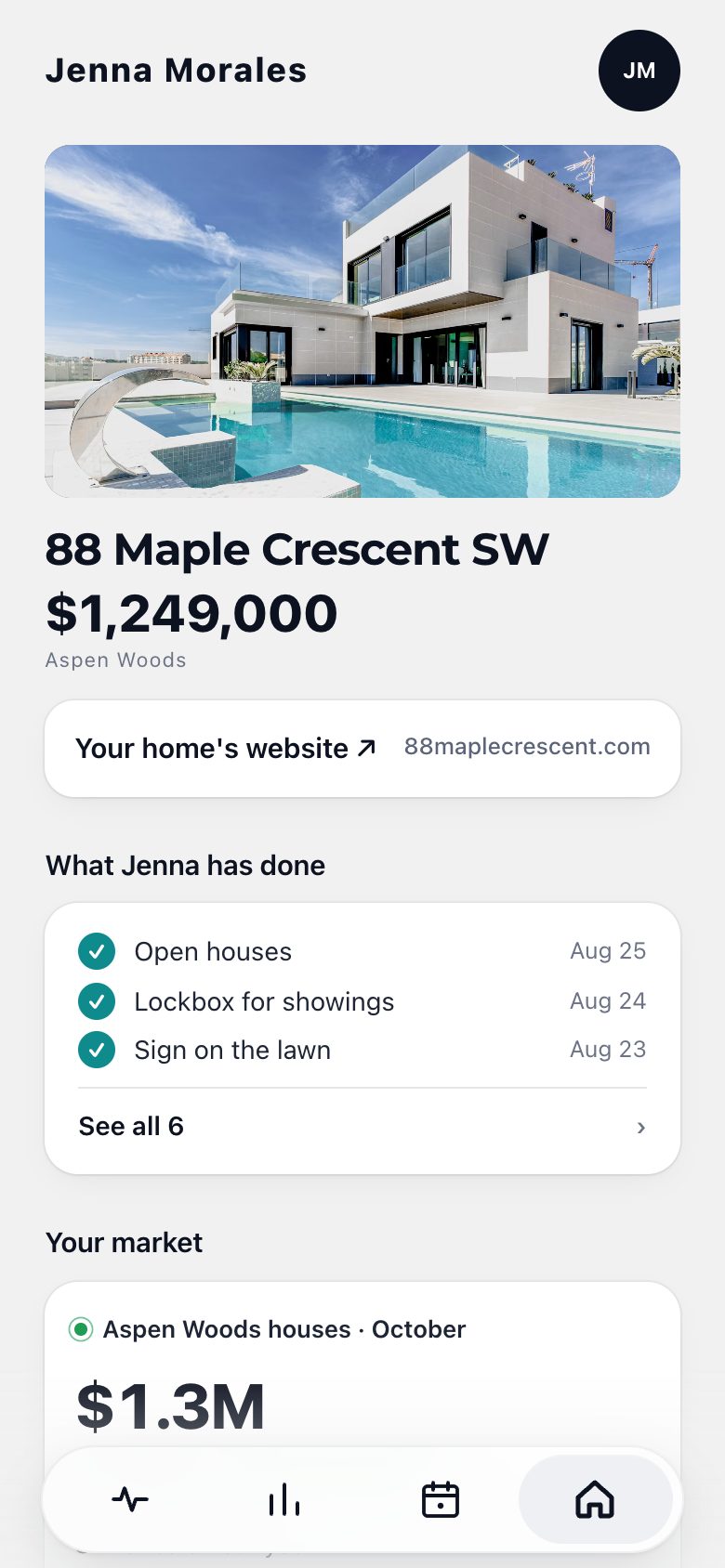
Every update from you as it happens: photos in, live on realtor.ca, a showing booked. In your words.
Your name on their phone. Not ours.
Your icon on their home screen. Your name on every notification. Every time they check on their sale, they open you.
Every sale becomes a client for life. Your name stays on their phone.
Your app stays on every past seller's phone, and your plan carries on after the keys: a note the first week, a check-in at six months, their home anniversary, a holiday note. Each one is ready on the day, and lands on their lock screen with your name on it when you tap Send.
Live in minutes. Not weeks.


Try it before you pay a single dollar.
Open the sample home below, or start free and add a test home with any address. Text it to yourself, tap around, then show it at your next listing presentation.
Everything for one seller's home. $49, once.
No monthly fee, nothing to cancel, and sellers never pay.
- Show it in your listing presentation to win the listing
- Their own app for the whole sale, from listing to keys
- Your brand and your icon on your seller's phone
- Your update plan, ready to send at every step
- Their calendar, live numbers and what homes like theirs sell for
- Keeps in touch for years after the sale
- No monthly fee, nothing to cancel
- The weekly seller report you never have time to write
- Answering “any updates?” from the car
- The closing gift that's forgotten by spring
What agents ask before they start.
Will my sellers actually use it?
It's the one place they can see their sale: every showing, what buyers said, their numbers, what you've done. They open it because it answers the question they'd otherwise text you.
Is this more work for me?
Less. You write each update once, in your plan, and after that each one is a tap. No weekly report to write, and far fewer “any updates?” texts to answer.
What does it cost?
Setting up is free: design your app, build your plan, add a test home and try it on your own phone, with no card. You pay $49 when you add a seller's home, once for that home. Sellers never pay.
Do my sellers need to download anything?
Nothing from an app store. They tap the link you text them and add it to their home screen in two taps. Your icon goes on their phone and every update reaches them as a notification.
Does anything go to my seller without me?
No. Every update waits in Needs you. You read it, change it if you like, and tap Send.
Where do the updates come from?
From your plan: the moments you choose to tell every seller about, written once in your words. Connect Gmail and showing confirmations and vendor emails become drafts too. And you can write your own any time.
Do I have to change how I work?
No. Keep your CRM, ShowingTime and your photographer. HomeLink only reads what you connect, and only the emails about your homes.
What happens after the sale?
Your app stays on their phone. Your plan carries on: a first-week note, check-ins, their home anniversary, a holiday note. Each one waits for you to send.
What if my seller isn't good with tech?
If they can open a text, they can use it. The first time it opens, it shows them how to add it to their home screen.
Win your next listing with it. Set-up is free.
You only pay $49 when you add a seller's home.